







PPPlayer for Windows
- Free
- 4.2
- 3
- V3.0.1
Free Download for Windows
View an ad to download for free

- PPPlayer
Free & Open-Source Media Player
PPPlayer for Windows
PPPlayer is a free and open-source music and media player for Windows, designed to combine local media playback, music discovery, and network streaming in a modern and responsive interface. It provides a simple way to manage your music library, organize playback, and enjoy your favorite content without requiring an account or subscription.
Key features
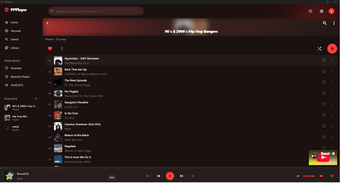
Music and media library — Search and organize tracks, artists, albums, and your local media in one place.
Local audio and video playback — Play your own media files offline, with support for subtitles, Picture-in-Picture (PiP), and Fit/Fill video modes.
Network streaming — Stream compatible URLs and M3U/PLS playlists directly from the application.
YouTube playback — Use the integrated YouTube player to access compatible YouTube content without leaving PPPlayer.
Smart queue and playlists — Build and reorder your playback queue to control what plays next.
Modern Windows experience — Enjoy a clean, responsive interface with native context menus and Windows media controls.
How it works
Open PPPlayer and start exploring your music or local media immediately. You can search for content, add tracks to your queue, manage your personal library, or open supported local and network media sources.
PPPlayer is designed to keep the experience straightforward: no account and no subscription are required. The application is also open source and released under the MIT license.
System requirements
Operating system: Windows 10 or later
Architecture: Windows PC
Internet connection: Required for online streaming and YouTube content
Local media: Can be played offline when stored on your computer
Price: Free
Limitations
Network and YouTube playback depend on the availability and compatibility of the source. Not every third-party URL or video is guaranteed to be playable. Supported media formats and playback capabilities may also vary depending on the platform and underlying media support.
What's new
The Windows version brings PPPlayer's modern media experience to desktop users, with improved playback, library management, queue controls, and a responsive interface designed specifically for everyday use.
PPPlayer is a lightweight, free, open-source media player for Windows users who want music, local media, and online streaming in one application.
Loading…
App specs
Developer
- PPPlayer
License
Free
Version
3.0.1
Latest update
Platform
Windows
OS
Windows 11
Language
English
Available languages
- Spanish
- English
- French
- German
- Italian
- Portuguese
- Russian
- Dutch
- Polish
- Chinese
- Turkish
- Arabic
- Korean
- Japanese
- Swedish
- Czech
- Hindi
- Danish
- Finnish
- Norwegian
Downloads
3
Last month's downloads
- 3
Size
813.09 KB
Program available in other languages
PPPlayer for PC
- Free
- 4.2
- 3
- V3.0.1
Free Download for PC
View an ad to download for free
User reviews about PPPlayer
Have you tried PPPlayer? Be the first to leave your opinion!
Add reviewTop downloads Music & Radio for Windows
Top downloads Music & Radio for Windows
Top downloads Music & Radio for Windows
Related topics about PPPlayer
Latest articles

Monster Hunter Rise hits 20 million sales: Capcom marks the milestone

THE FINALS Prime Time update lands October 20: more destructible arenas

Dark Matter gets Hugh Howey’s endorsement: “The best show airing right now”

Mistborn gets three new RPG rulebooks in Fall 2026: Scadrial joins the Cosmere RPG

Attack of the Killer Tomatoes returns 34 years later: Organic Intelligence hits digital today
Laws concerning the use of this software vary from country to country. We do not encourage or condone the use of this program if it is in violation of these laws. Softonic may receive a referral fee if you click or buy any of the products featured here.